
SpendTrack · Know where your money goes without writing anything down
 AI
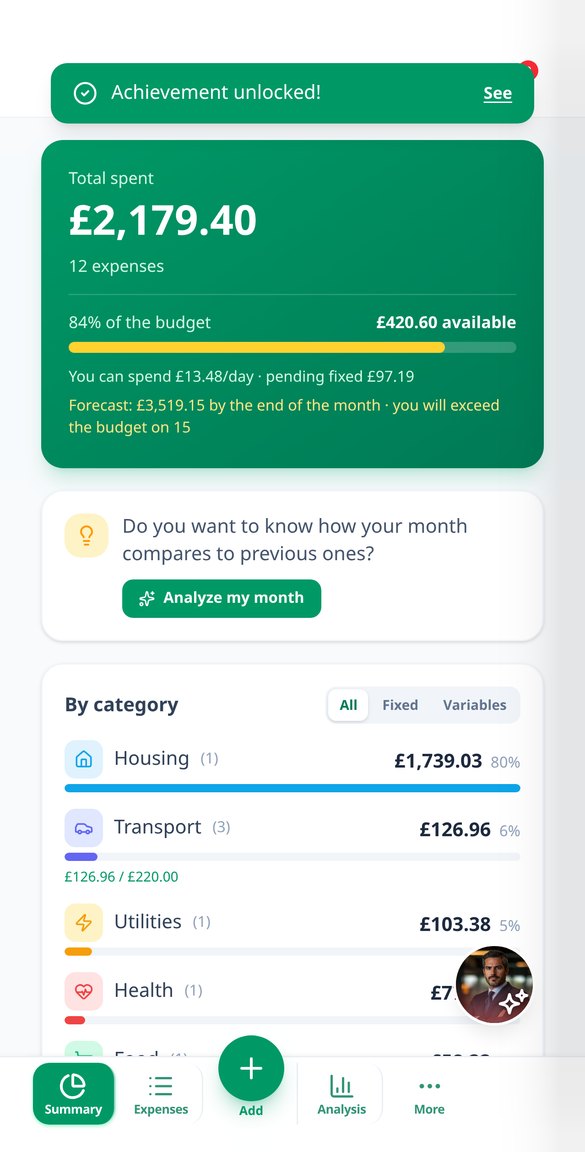
For those who want to control their spending and don't have time to enter it: take a photo of the receipt, dictate the amount, or upload your bank statement, and SpendTrack will classify, sum it up, and show you the entire month. Without connecting your bank account.
Responses are generated by artificial intelligence. This is not professional advice and does not replace a qualified professional. In an emergency, contact your local emergency services.
Hoeveel echte dagen heb je echt nog nodig voor T5?
De dure beslissingen in Rise of Kingdoms worden niet genomen met het spel voor je, ze worden genomen met een spreadsheet: of je genoeg hebt voor de expertise van een commander of om T5 te bereiken, hoeveel dagen aan speedups je hebt opgeslagen, wat je moet bewaren voor de volgende MGE. Deze app zet die berekeningen op je mobiel: voer één keer je City Hall, je VIP en je bonussen in en de 27 calculators reageren direct, met de werkelijke tijd na bonussen in plaats van de basistijd. Alle berekeningen vinden plaats in je browser, dus het is gratis en onbeperkt en je hebt geen account nodig om het cijfer te zien.
Start for free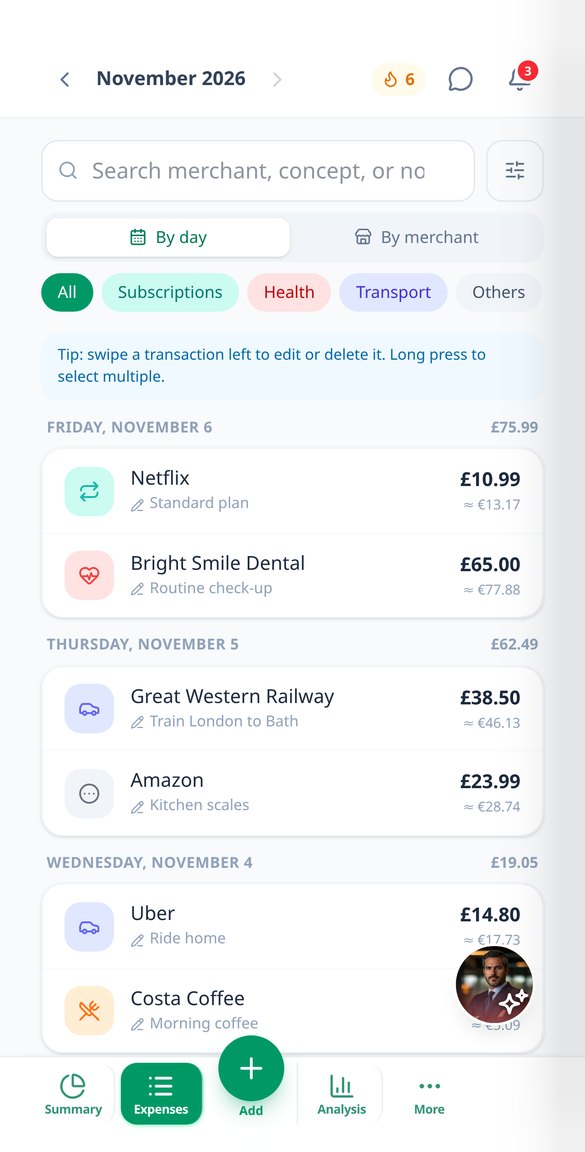
Discover every feature in detail

Scan receipts with AI: the photo of the receipt turns into an expense
Upload the photo or PDF of a receipt, and AI extracts the date, merchant, amount, currency, invoice number, and line-by-line details. Multiple receipts per photo, duplicate control, and background analysis.
View feature
Import bank statement to your expense app and review it first
Upload your bank's CSV, TXT, or PDF and the AI converts it into transactions with date, merchant, amount, and category. Review and edit before saving, with duplicates marked. No need to connect your bank.
View feature
Record expenses by voice without uploading audio to the cloud
Dictate an expense and SpendTrack records it with amount, date, and category. Your voice is transcribed on your own mobile using the Web Speech API: only the text is sent, never the audio.
View feature
Expense AI Assistant: ask how you spend in natural language
Ask 'How much have I spent on restaurants this month?' and the SpendTrack assistant responds with your actual figures. You can also log expenses by writing a sentence, without exposing your complete history.
View feature
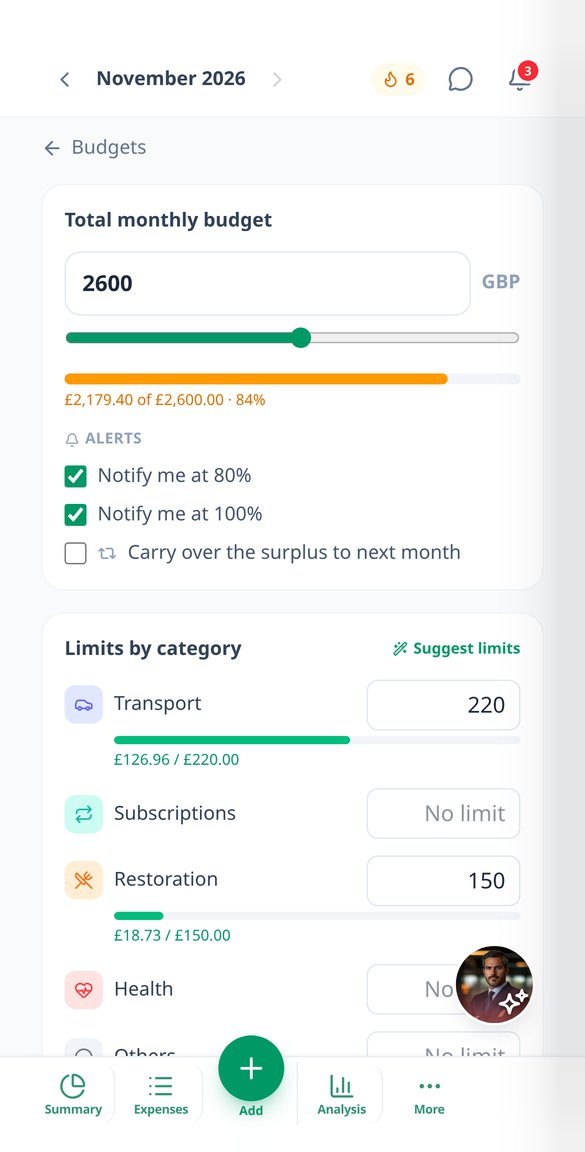
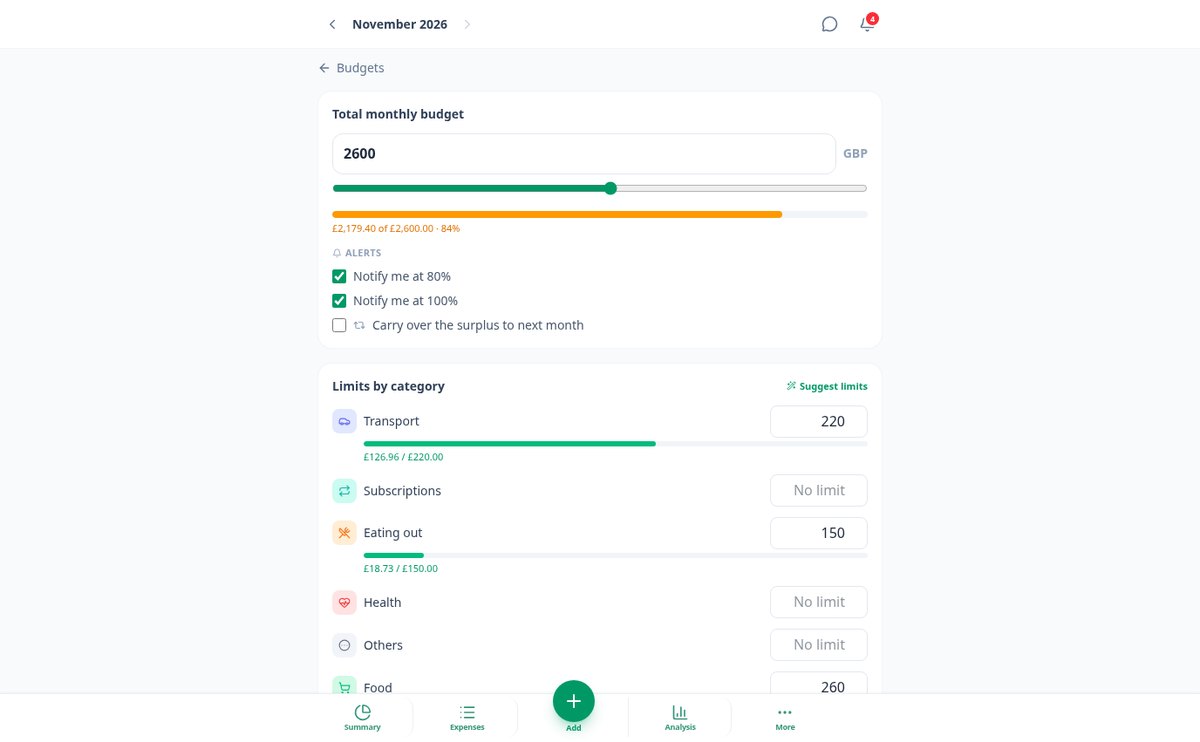
Monthly budget by categories with alerts at 80% and 100%
Set a global monthly spending cap and a limit per category in SpendTrack. Alerts at 80% and when exceeded, how much you have left per day, forecast for closure, and rollover from the previous month.
View feature
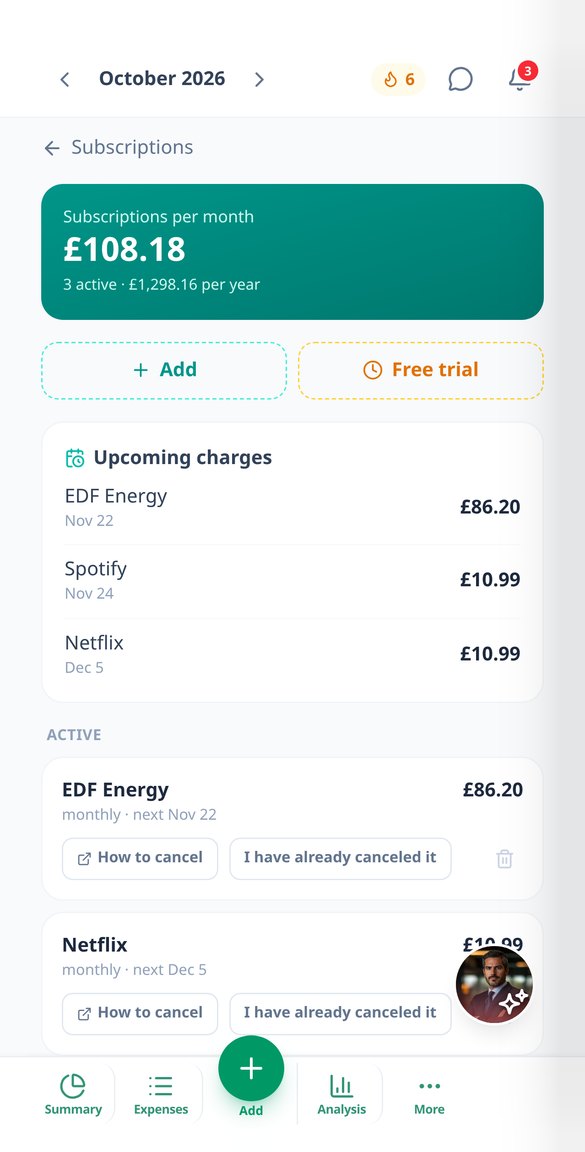
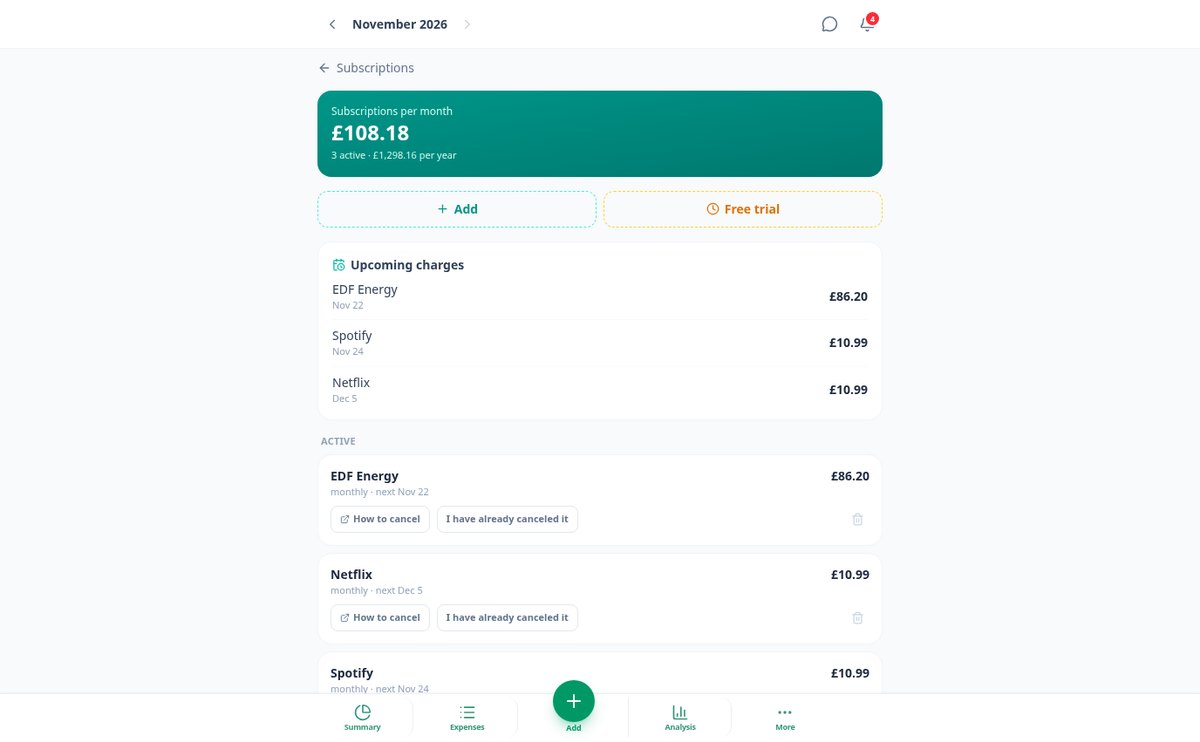
Automatically detect your subscriptions and manage recurring charges
SpendTrack identifies the recurring charges in your expenses and reveals the subscriptions you pay without realizing it: total per month and per year, alerts before each renewal and before a free trial ends. No bank connection required.
View featureFrom crumpled receipt to monthly summary
Stad, Commanders, Oorlog, Account en Alliantie. Het deterministische is gratis en onbeperkt, ook zonder registratie; de AI komt alleen tussenbeide om uit te leggen, te prioriteren en op te stellen.

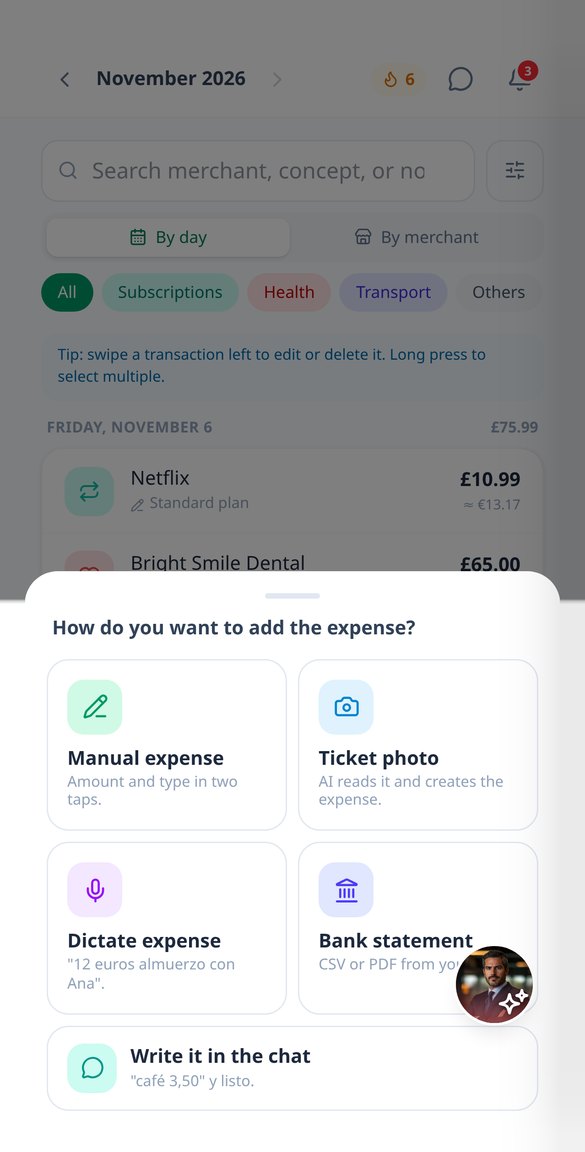
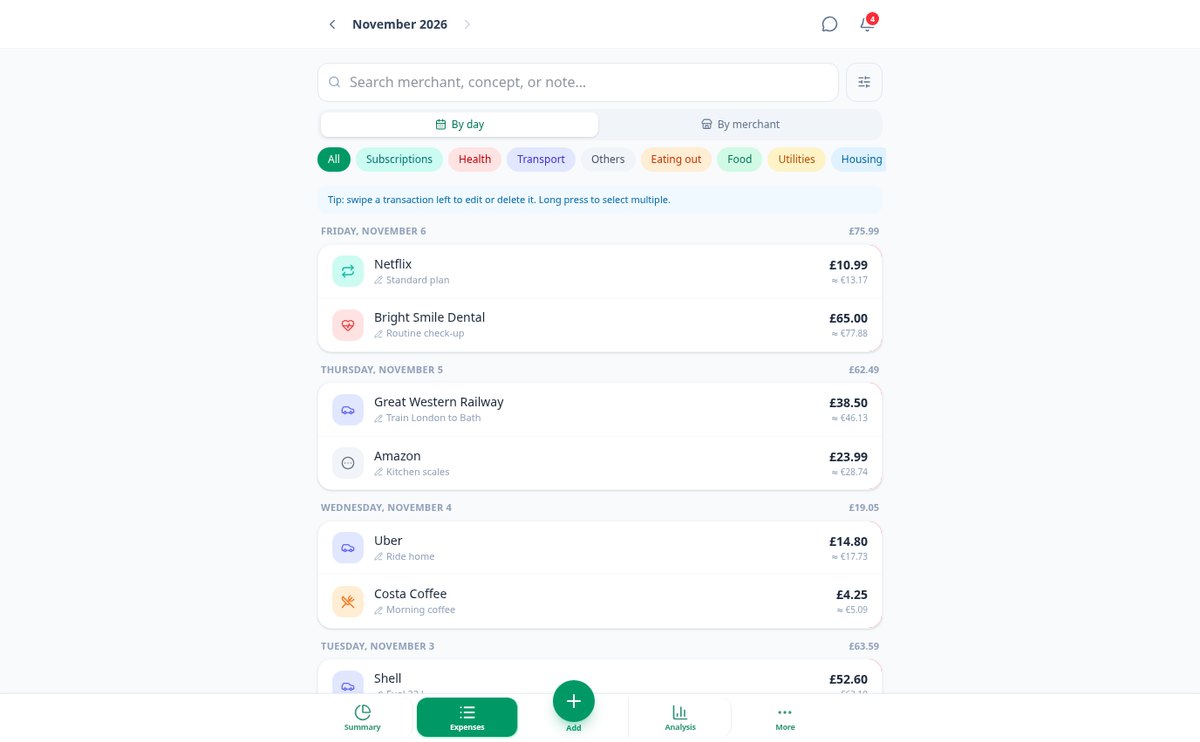
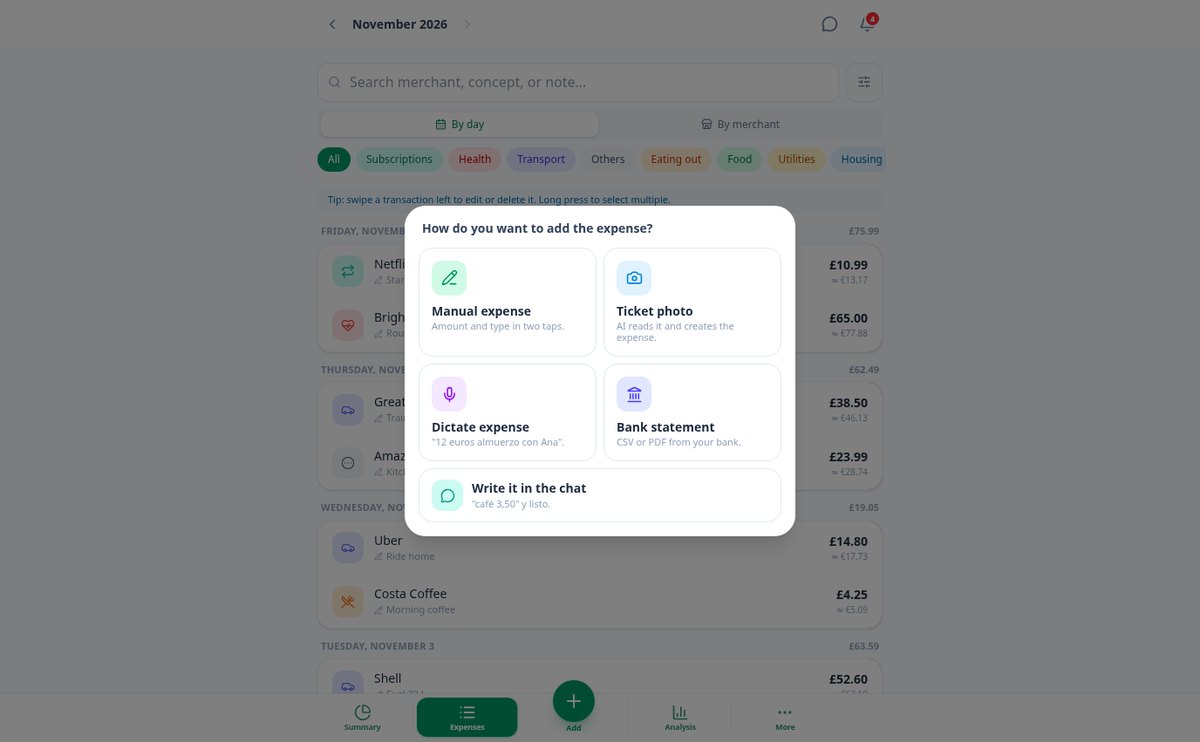
Five ways to record an expense
Amount and type in two taps, with your frequent expenses in one tap. The photo or PDF of a receipt, which the AI reads in the background while you continue using the app — and if there are multiple receipts in the same image, it separates them into multiple expenses. Voice dictation, which is transcribed on your device without uploading the audio anywhere. A message to the assistant (‘coffee 3.50’). Or your bank statement in CSV, TXT, or PDF, which you review movement by movement with the type already suggested before confirming the import.

It classifies itself and learns from you
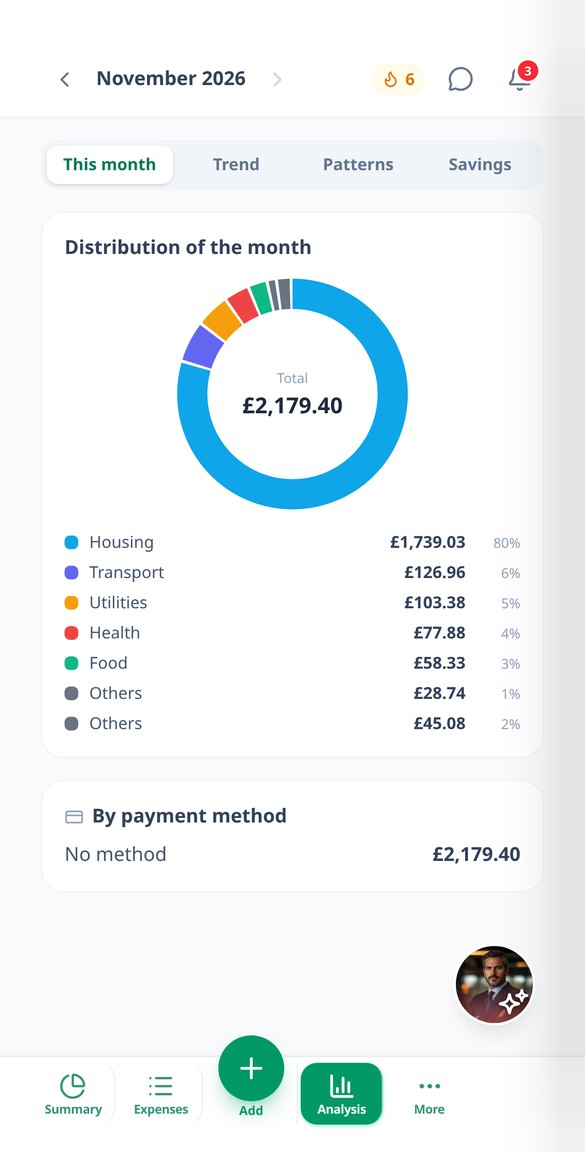
Each expense falls into one of 14 categories — food, transportation, subscriptions, leisure… — or into the ones you create, and you can reassign it with two taps. If you correct the same merchant twice, SpendTrack remembers it; and you can set a fixed rule (‘if it says AMZN, it’s Leisure’) and apply it to what you already had recorded. Before creating anything, it alerts if that expense was already there, accepts tags that cross categories (‘Trip to Japan’), separate accounts, and 45 currencies with their exchange rate on the day of the expense.

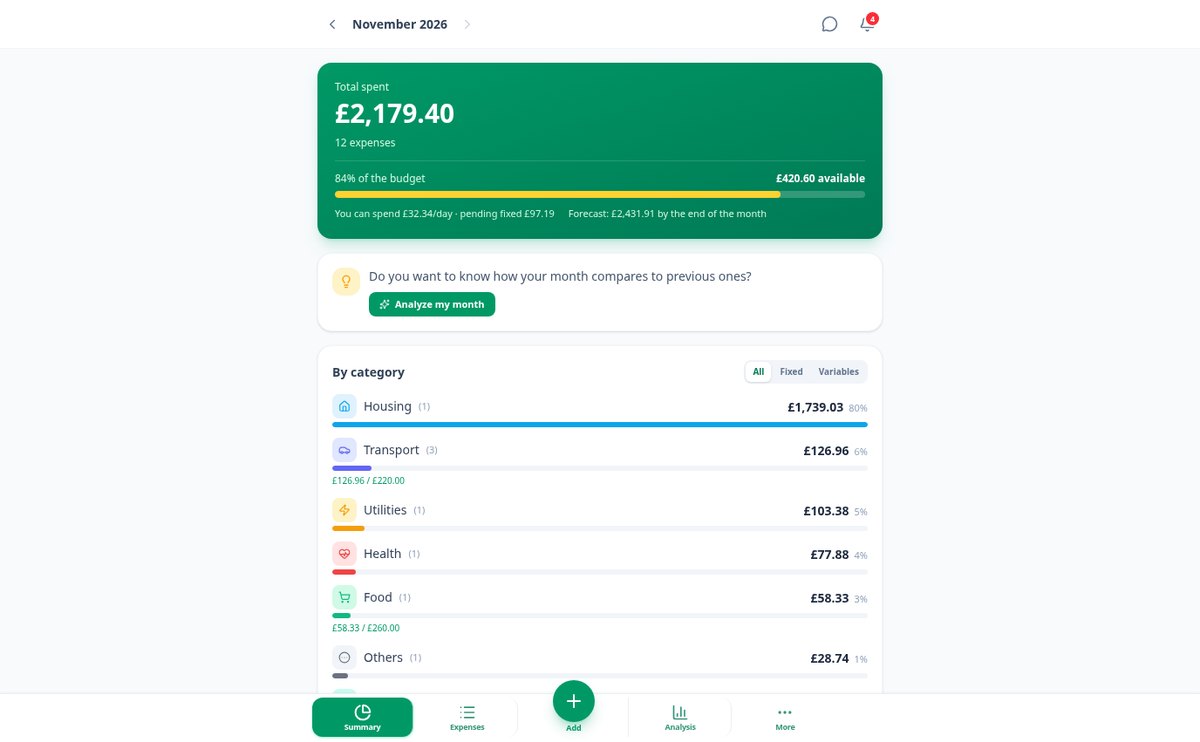
The entire month at a glance
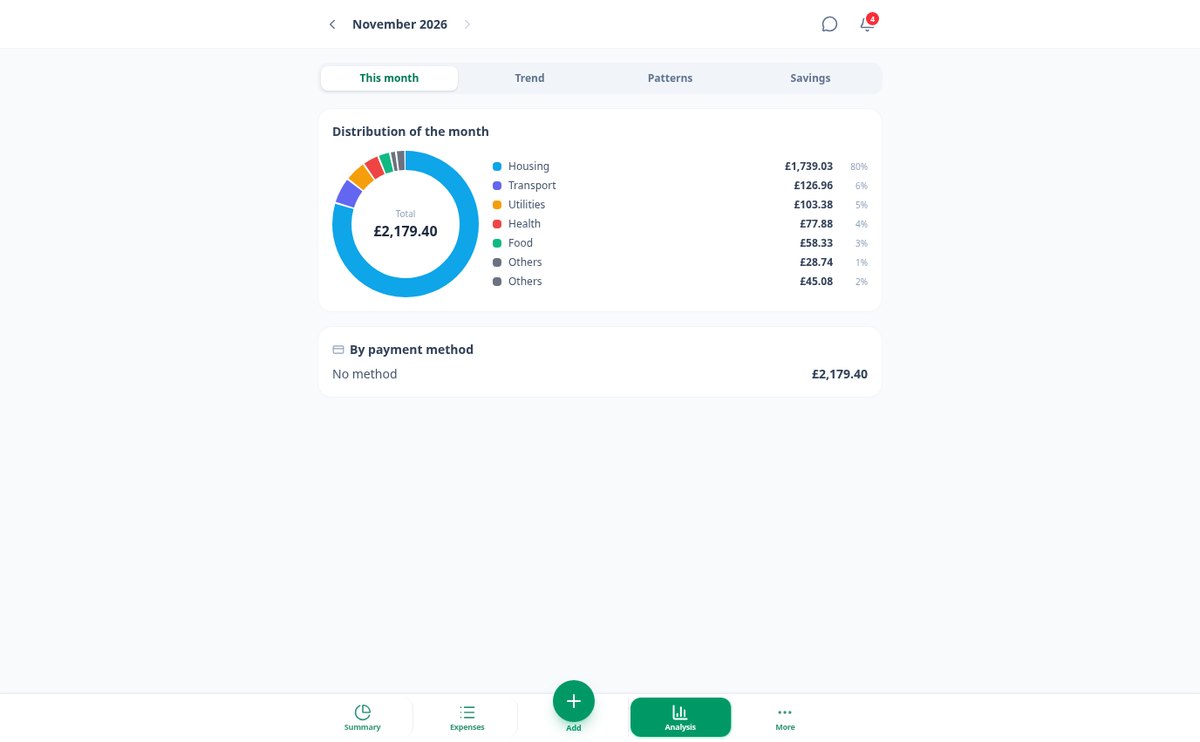
Total for the month, variation compared to the previous one, overall budget and by category with alerts at 80% and 100%, how much you have left per day, and the closing forecast. Below, your detected subscriptions with the next charge and an alert before it arrives, the analysis with a ring, 12-month trend, small expenses and peaks, savings goals, and savings recommendations written by the AI with its figure. All exportable to CSV, PDF report, and backup copy.
Your first month tracked in three steps
Vul je profiel één keer in
City Hall, VIP en snelheidsbonussen. Het profiel staat bovenaan, wordt automatisch opgeslagen en wordt door alle tools gebruikt: je hoeft niet steeds hetzelfde in elke calculator in te voeren.
Kies de tool
Stad, Commanders, Oorlog, Account of Alliantie. De cijfers worden opnieuw berekend wanneer je een instelling wijzigt, met de werkelijke tijd na je bonussen en de patchstempel onderaan elk resultaat.
Opslaan, kopiëren of vragen
Sla het plan op met de voortgang, kopieer het met één tik naar de rijkschat of Discord, of vraag advies aan de adviseur: hij redeneert over de cijfers die je zojuist hebt berekend, hij verzint ze nooit.
Frequently Asked Questions
Latest blog articles
Guides and news to get more out of it

Start tracking your expenses today
Maak gratis een account aan om je plannen met voortgang op te slaan, te synchroniseren en je alliantiepakket samen te stellen. Of log nu in en bereken zonder registratie.